Google is rolling out its redesigned Workspace app icons in a major visual transformation that is already capturing attention across the tech world. This long-awaited update brings fresh gradient styles, improved distinctiveness, and a modern AI-inspired aesthetic to essential productivity tools used by millions daily. The changes promise to enhance user experience while aligning with Google’s evolving design language.
As of May 2026, the rollout of these new Google Workspace icons is actively happening, with users noticing updates in web launchers, Android interfaces, and potentially iOS apps. This comprehensive redesign addresses longstanding complaints about icon similarity and introduces a cohesive, vibrant look that reflects the company’s push into AI-powered features.
Why Google Workspace Needed This Icon Overhaul
For years, Google Workspace apps relied on a consistent but often confusing design system. Each icon typically incorporated Google’s four signature colors—blue, red, yellow, and green—within a rectangular “page” container. While this created brand unity, it led to significant usability issues, especially in dense interfaces like browser tabs or app drawers where quick identification is crucial.
The new Google Workspace redesigned app icons solve this by prioritizing unique shapes, dominant colors, and soft gradients. This shift makes each app instantly recognizable, boosting productivity for professionals, students, and businesses relying on Gmail, Drive, Docs, and more.
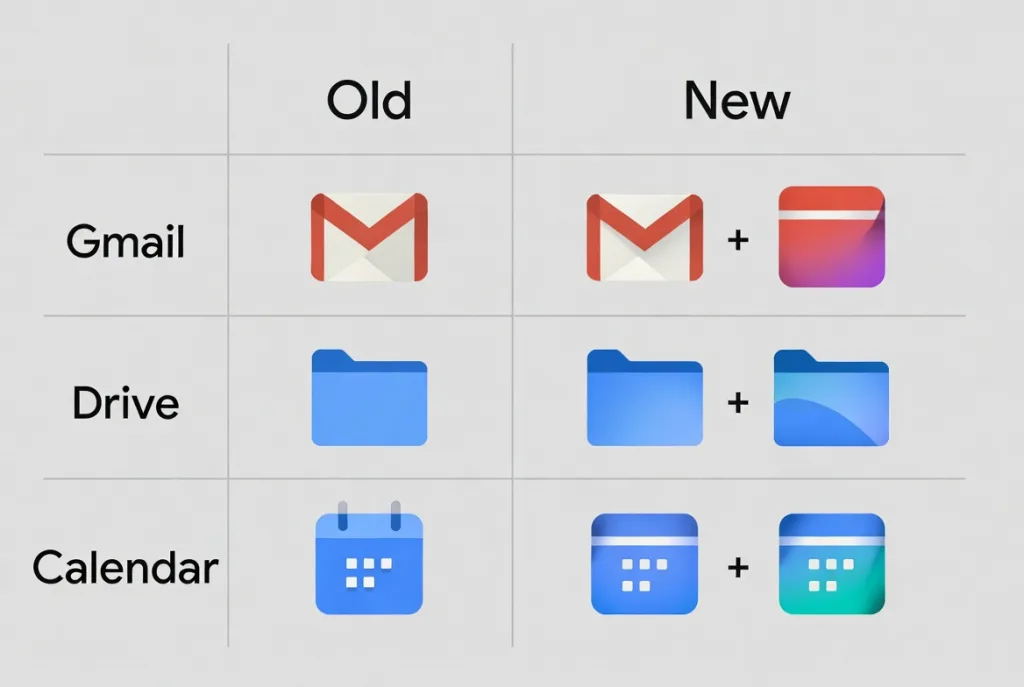
Industry experts highlight how this redesign aligns with broader trends in material design and expressive interfaces. By embracing gradients seen in recent updates to Google Maps, Photos, and the company “G” logo, Workspace now feels more contemporary and integrated with AI elements like Gemini.
The Challenges of the Previous Design System
Users frequently reported difficulty distinguishing between apps at a glance. Calendar, Meet, and Drive icons often blended together due to similar multi colored outlines. This was particularly problematic for remote workers juggling multiple tabs or on mobile devices with smaller screens.
The rigid four-color mandate, while branding-focused, limited creative expression and made icons feel dated compared to more fluid designs from competitors. Removing the page container in most new icons allows for larger, bolder central elements that command attention without visual clutter.
Detailed Breakdown of the Revolutionary New Google Workspace Icons
Each redesigned icon brings unique improvements. Here’s an in-depth look at the standout changes:
Gmail’s Refined Envelope Gets a Vibrant Gradient Boost
The Gmail icon retains its iconic “M” envelope shape but appears more rounded and polished. Red remains the dominant color, with subtle accents of yellow, green, and blue. This makes it one of the most recognizable in the suite while incorporating the new gradient treatment for depth and modernity.
Many users appreciate how the new Gmail icon stands out strongly in app launchers. The gradient adds a premium feel, suggesting the rich features inside, from smart replies to AI-assisted composing.
Google Drive’s Simplified Triangle Emphasizes Core Colors
Drive drops the red accent entirely, focusing on green, yellow, and blue to match the editor apps. The triangular shape is now softer and more bulbous on the exterior with a sharp inner triangle, creating visual interest and better hierarchy.
This change reinforces Drive’s role as the central storage hub while improving differentiation from other file-related tools.
Calendar Returns to Classic Roots with Modern Flair
One of the most nostalgic updates, the new Calendar icon revives a skeuomorphic flip-style calendar in classic blue. The four-color border is gone, allowing the date-focused design to shine. Gradients add subtle dimension without overwhelming the familiar look.
This throwback resonates with long-time users while feeling fresh for new generations.
Meet and Chat: Bold Color Shifts for Better Identity
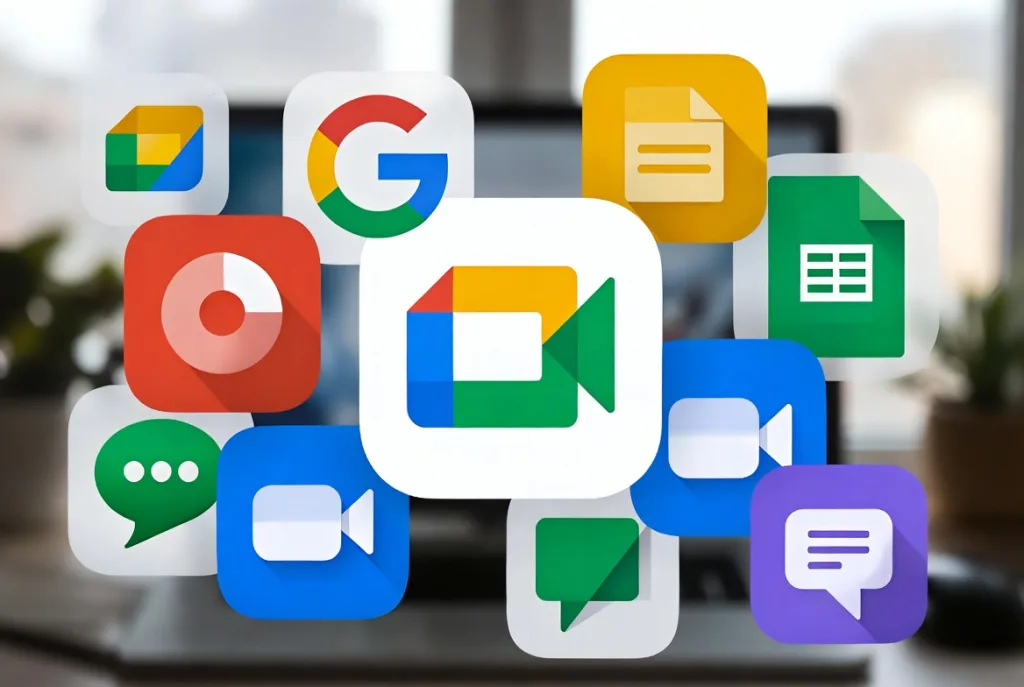
Google Meet adopts a prominent yellow-orange gradient for its camera icon, a significant departure that makes video calls pop. Chat features a friendly green pill-shaped bubble with a smile, evoking its Hangouts heritage while feeling approachable.
These shifts help users quickly spot communication tools amid productivity apps.
Docs, Sheets, and Slides: Smart Orientation and Dominant Hues
The editor trio maintains color coding—blue for Docs, green for Sheets, and red/orange for Slides—but introduces clever updates. Docs keeps its vertical paper orientation, while Sheets and Slides switch to landscape mode, mirroring real-world usage. Gradients provide polish and depth.
Additional Apps: Keep, Tasks, Forms, Voice, and Sites
- Keep: The lightbulb stands alone without a rectangular background, glowing with yellow gradients for a cleaner, more metaphorical representation of ideas.
- Tasks: Blue-dominant checkmark design emphasizes completion and simplicity.
- Forms: Purple multiple-choice bubbles replace paper motifs for a more interactive feel.
- Voice and Sites: Rounded shapes and appropriate color shifts complete the family.
The Broader Impact on Google Workspace Users and Productivity
This Google Workspace icon rollout extends beyond aesthetics. Better visual distinction can reduce cognitive load, helping users navigate faster in high-pressure environments like project management or client meetings.
Businesses adopting Google Workspace will benefit from a more professional, unified appearance that signals modernity. Educational institutions may find the changes enhance engagement for students using these tools daily.
How the Redesign Supports AI Integration
Gradients tie directly into Google’s AI branding, visible across Gemini and other services. As Workspace incorporates more intelligent features—like automated summaries in Docs or smart scheduling in Calendar—the icons visually communicate this evolution.
Timeline and Rollout Details for the New Icons
The redesign was first leaked in late April 2026, generating excitement and discussions across tech communities. By mid-May, the rollout began appearing in web interfaces, with gradual expansion expected to Android, iOS, and desktop apps.
Google typically phases such updates, starting with web launchers before full synchronization. Users might see inconsistencies temporarily as different services update at varying speeds. Expect full availability around or shortly after Google I/O 2026, where further design announcements are likely.
Who Will See the Changes First?
- Web users via app launcher and Gmail/Drive interfaces
- Android users with updated Workspace or individual apps
- Enterprise and education accounts potentially prioritized for consistency
- Individual consumers following in subsequent waves
Gmail Users Can Now Change Email Addresses 3 Times Without Losing Any Data
User Reactions and Expert Opinions on the Redesign
Feedback has been largely positive, with praise for improved distinguishability and modern appeal. Many appreciate the departure from uniform four-color designs that caused confusion.
Some users express nostalgia for the old icons or concern about adaptation time, particularly for heavily used apps like Calendar and Keep. Designers note the thoughtful balance between innovation and familiarity.
Tech analysts view this as part of Google’s larger Material You and expressive design evolution, positioning Workspace competitively against Microsoft 365’s visual updates.
Technical Aspects Behind the Gradient Icon Designs
The new icons leverage advanced rendering for smooth gradients that adapt to light and dark modes. Rounded corners and refined shapes follow accessibility best practices, ensuring clarity at small sizes.
Developers and designers can access recreation files on platforms like Figma for custom implementations or testing. This community engagement accelerates adoption and feedback loops.
SEO and Branding Implications
For businesses, consistent use of the new Google Workspace icons in marketing materials, tutorials, and app promotions will strengthen brand alignment with Google’s ecosystem. Content creators should update screenshots and guides to reflect the changes for better relevance in search results.
Comparing Google Workspace Icons to Competitors
Microsoft’s Fluent Design offers depth through layers and animations. Apple’s Human Interface Guidelines emphasize clarity and metaphor. Google’s approach blends gradient vibrancy with functional minimalism, carving a unique space in productivity tools.
This redesign positions Workspace as forward-thinking, especially for AI-augmented workflows.
Future of Google Workspace Design and What Comes Next
With this icon update, Google signals commitment to continuous visual refinement. Future enhancements may include animated icons, deeper theming, or tighter integration with wearable and AR interfaces.
As AI becomes central to productivity, expect icons to evolve as visual gateways to intelligent features. The current rollout sets a strong foundation.
Practical Tips for Adapting to the New Google Workspace Icons
- Update Your Apps: Check for updates in Google Play Store, App Store, or web settings.
- Customize Your Workspace: Reorganize pinned apps or browser shortcuts for optimal flow with new visuals.
- Train Your Team: Share the changes with colleagues to minimize disruption.
- Provide Feedback: Use Google’s feedback channels to influence future iterations.
- Explore New Features: The refreshed look often accompanies underlying improvements.
Staying informed through official blogs and tech news ensures smooth transitions.
Revolutionary 6X Breakthrough: Google’s TurboQuant AI Compression Ignites Pied Piper Frenzy
The Significance of This Update in Google’s Broader Ecosystem
This Google Workspace redesign is more than cosmetic—it represents the company’s philosophy of iterative improvement and user-centric design. By making tools more delightful and efficient, Google reinforces its position as a leader in cloud productivity.
Millions of users worldwide will interact with these icons daily, making the thoughtful details impactful on a massive scale. From freelancers managing projects to enterprises coordinating global teams, the benefits compound quickly.
Embracing the Future of Productive Design
Google’s stunning rollout of redesigned Workspace app icons marks a refreshing chapter in digital productivity tools. The combination of gradients, unique shapes, and strategic color choices creates an intuitive, engaging experience that honors the past while embracing the future.
As the rollout continues and users adapt, this update will likely be remembered as a pivotal moment that enhanced everyday workflows. Whether you’re a power user or casual collaborator, these changes invite renewed appreciation for the tools powering modern work.
The full transformation underscores Google’s dedication to excellence in both function and form. Stay tuned for more enhancements as the company continues innovating across its vast ecosystem. This massive icon redesign not only looks better but feels like a genuine step forward in making technology serve humanity more elegantly.
Discover more from TECH-BRUNCH
Subscribe to get the latest posts sent to your email.