


Instead, macOS 27 promises a refined, more polished evolution that addresses key pain points while preserving the innovative design language. Apple enthusiasts and professional users have been buzzing with anticipation and occasional frustration since the bold introduction of Liquid Glass in macOS Tahoe. Now, fresh reports confirm that this futuristic interface isn’t going anywhere.
This comprehensive guide dives deep into what to expect from macOS 27’s Liquid Glass tune-up, exploring the history, technical details, user feedback, performance implications, and long-term vision. Whether you’re a creative professional relying on your Mac for video editing, a developer building the next big app, or a power user juggling multiple workflows, these updates could transform your daily computing experience. With in-depth analysis, expert insights, and practical advice, you’ll be fully prepared for Apple’s next major macOS release.
The Rise of Liquid Glass: From Concept to Controversy
Liquid Glass represents Apple’s most ambitious visual overhaul in over a decade. Introduced alongside macOS Tahoe (version 26) in 2025, it brought dynamic, translucent, layered materials inspired by glass to menus, sidebars, Dock, widgets, and app interfaces across the ecosystem.
The design aims for fluidity and immersion. Elements refract and reflect background content, creating a sense of depth that feels premium on supported hardware. On OLED displays, the effects shine with vibrant light spill and natural shadows. However, many Mac users on LCD panels experienced readability challenges, excessive blur, and inconsistent transparency that sometimes hindered productivity.
Critics pointed to sidebars becoming harder to read in bright environments and overlapping elements that reduced clarity in professional applications. Despite the vocal feedback, Apple insiders emphasize that Liquid Glass was never a rushed experiment but a foundational shift toward unified, expressive design across iOS, iPadOS, macOS, and beyond.
“Liquid Glass unifies Apple platform design language while providing a more dynamic and expressive user experience.” — Apple Developer Documentation on adopting the new material.
This quote captures the ambition. Apple didn’t just update visuals; it reimagined how interfaces interact with content, light, and user attention.

Why Liquid Glass Survives in macOS 27: Apple’s Long-Term Vision
Recent reports from reliable sources like Bloomberg’s Mark Gurman confirm that macOS 27 will not scrap Liquid Glass. Expect a “slight redesign” or “tune-up” focused on refinement rather than revolution.
Apple views current issues as implementation gaps rather than core design flaws. The design team intended specific behaviors for transparency, shadows, and contrast that engineering teams are now fully realizing in macOS 27. This iterative approach mirrors past macOS updates, where visual languages matured over multiple years.
Key Drivers Behind the Tune-Up
- Hardware Reality: Most Macs still use LCD screens, where Liquid Glass effects don’t render as crisply as on future OLED MacBook Pros.
- User Feedback: Readability complaints in text-heavy areas like Finder sidebars and app menus.
- Cross-Platform Consistency: Aligning macOS more closely with iOS 27 and iPadOS refinements.
- Future-Proofing: Preparing for OLED hardware and advanced displays arriving in late 2026 and beyond.
This strategy ensures Liquid Glass evolves gradually, avoiding disruptive overhauls that could alienate users or developers.
7 Major Liquid Glass Improvements Expected in macOS 27
1. Enhanced Readability and Contrast Adjustments
One of the biggest wins will be smarter contrast algorithms. macOS 27 is expected to dynamically adjust text and icon visibility against translucent backgrounds, reducing eye strain during long work sessions.
Users in bright offices or using external monitors should notice cleaner sidebars and menu bars. Subtle shadow refinements will help elements pop without overwhelming the content behind them.
2. Polished Transparency and Blur Effects
Excessive blur and inconsistent transparency are getting tamed. Expect more natural, controlled refraction that respects ambient light while maintaining the “liquid” fluidity. This should make the interface feel premium on current hardware without waiting for OLED Macs.
3. Improved Focus and Layering Behavior
Windows losing focus will recede more elegantly. Liquid Glass materials will shift appearance more predictably, guiding user attention without distraction. This benefits multitasking professionals who switch between apps frequently.
4. Customization Options Expanded
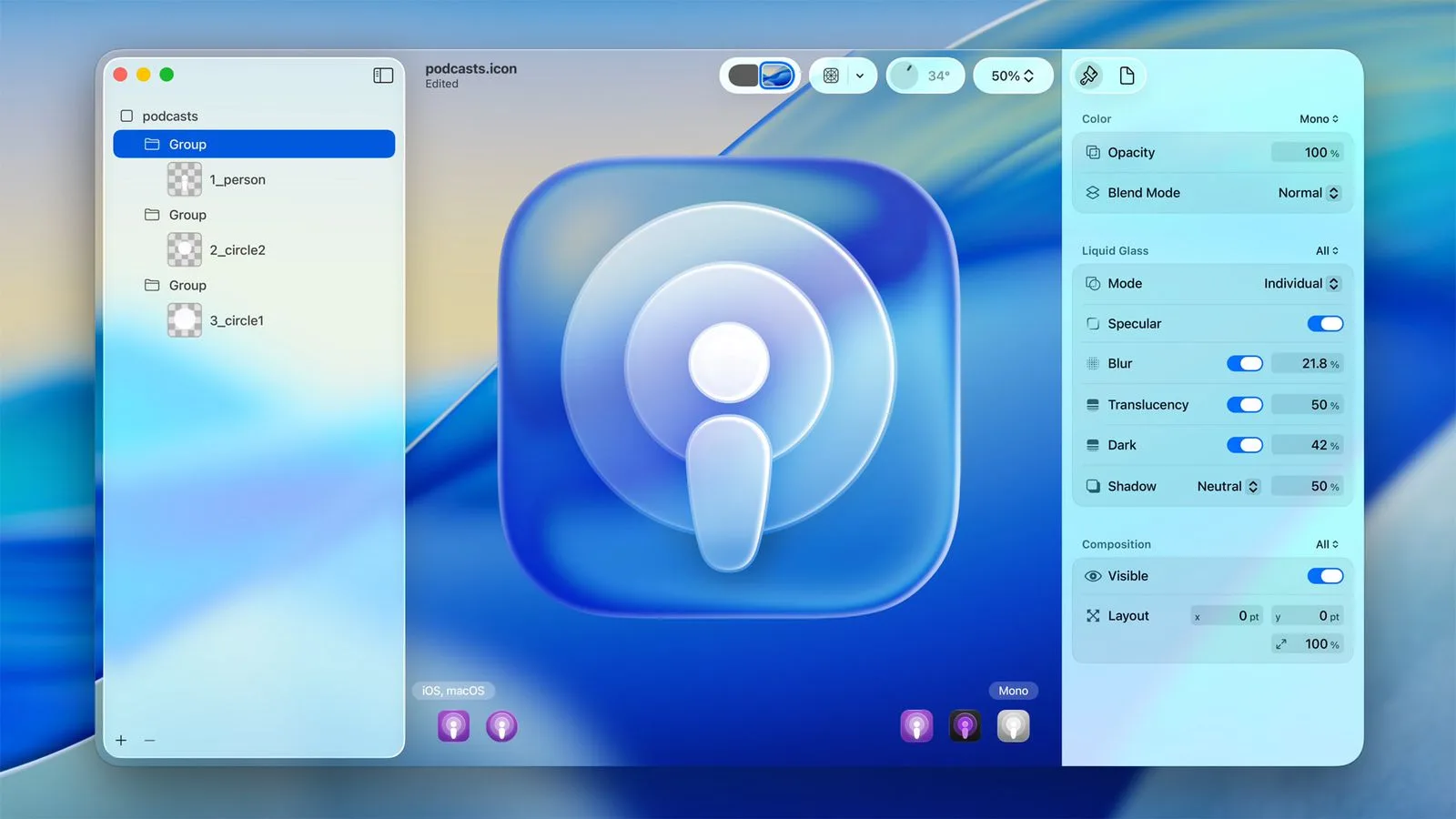
Look for new tint intensities, clear modes, and possibly a system-wide slider to fine-tune Liquid Glass strength. This empowers users to dial in the perfect balance between aesthetics and productivity.
5. Performance Optimizations
Refinements aren’t just visual. Apple is focusing on efficiency, reducing CPU/GPU overhead from complex layering. This could lead to better battery life on MacBooks and smoother animations even on older supported hardware.
6. Better App Compatibility and Developer Tools
Updated Human Interface Guidelines and Swift-UI components will make it easier for third-party apps to adopt the tuned Liquid Glass properly. Expect fewer visual glitches in popular productivity and creative software.
7. Accessibility Enhancements
Stronger support for reduced transparency modes, high-contrast options, and dynamic type scaling will make the interface more inclusive.
“Liquid Glass itself isn’t going away. It’s simply being refined.” — Mark Gurman, Bloomberg.
This sentiment echoes throughout the tech community, highlighting Apple’s commitment to iteration over abandonment.
How macOS 27 Liquid Glass Compares to Competitors
In a world of Windows 11’s Mica and Fluent Design, or Linux desktop environments experimenting with blur, Apple’s Liquid Glass stands out for its hardware-software integration. The tune-up in macOS 27 should close the gap on usability while maintaining a distinct, luxurious feel that competitors struggle to match.
Creative professionals using Adobe Suite or Final Cut Pro will appreciate how refined layering preserves focus on canvas content. Developers gain more predictable behaviors for building immersive apps.
Technical Deep Dive: What Powers Liquid Glass?
Liquid Glass combines optical properties of glass with fluid dynamics through advanced materials in Apple’s frameworks. It uses multiple layers with real-time rendering based on content, lighting, and focus state.
On supported Macs, this leverages the Neural Engine and powerful GPUs for smooth effects. macOS 27 optimizations should make these computations more efficient, benefiting Intel transition users and Apple Silicon machines alike.
Future OLED MacBooks will unlock the full potential with deeper blacks and true transparency that LCDs approximate less effectively.
User Reactions and Community Feedback
The Mac community remains divided yet engaged. Some praise the modern, immersive look, while others prefer traditional opaqueness. Forums and social discussions show a mix of excitement for the refinements and calls for more user controls.
Power users have already shared workarounds like adjusting appearance settings or using third-party tools to tone down effects. macOS 27’s built-in customizations should reduce the need for such hacks.
“Despite initial user feedback, internal builds of iOS 27 and macOS 27 reveal no major design shifts.” — Industry analysts summarizing Gurman’s reports.
This steady evolution reassures long-term Mac users that Apple listens while staying true to its design philosophy.
Preparing Your Mac for macOS 27
Compatibility and Upgrade Path
macOS 27 will likely drop support for older Intel Macs, focusing on Apple Silicon for best Liquid Glass performance. Check your model against expected lists once announced at WWDC 2026.
Beta Testing Tips
- Enroll in the Apple Developer Program or Public Beta for early access.
- Test critical workflows in apps you use daily.
- Monitor battery and performance metrics post-update.
- Use System Settings to tweak appearance early.
Backup Best Practices
Always create a full Time Machine backup before installing major OS updates. Consider an external SSD for faster restores if needed.
Broader macOS 27 Features Complementing Liquid Glass
While the visual tune-up steals headlines, macOS 27 includes:
- Enhanced Apple Intelligence with better on-device processing.
- Dedicated Siri improvements and a potential standalone app.
- Stability and quality focus reminiscent of Snow Leopard.
- Preparations for touchscreen Mac hardware.
These elements work synergistically with refined Liquid Glass for a cohesive experience.
The Future of Apple’s Design Language
Liquid Glass sets the stage for years of gradual enhancements. By WWDC 2027 and beyond, we may see even more adaptive behaviors, deeper integration with spatial computing, and optimizations for emerging display technologies.
Apple’s patience with iterative design has paid off historically—from Aqua to the modern flat look, and now to this dynamic material. The macOS 27 tune-up demonstrates confidence in the foundation while addressing real-world usage.
Practical Advice for Different User Types
For Creatives: The refined depth and focus behaviors should enhance photo and video editing workflows by keeping tool palettes less intrusive.
For Developers: Updated APIs and preview tools will streamline adoption, leading to more polished third-party experiences.
For Everyday Users: Better readability and customization mean a more enjoyable, less fatiguing interface for browsing, email, and productivity.
For Enterprise: Improved consistency across fleets of Macs and better accessibility features support large deployments.
Potential Challenges and How Apple Might Address Them
Remaining issues could include variable performance on base-model Macs or third-party app inconsistencies during the transition. Apple is reportedly prioritizing code cleanup and reliability alongside visuals.
Ongoing beta feedback will likely shape final adjustments before the fall 2026 public release.
Why This Matters for the Mac Ecosystem
macOS remains central to Apple’s strategy, powering creative industries, development, and professional workflows. A successful Liquid Glass evolution strengthens the platform’s appeal against growing competition while preparing users for future hardware like OLED Macs and potentially touch-enabled devices.
A Refined Future Awaits
The news that Liquid Glass won’t get killed in macOS 27 but will receive a thoughtful tune-up is ultimately positive for the Mac community. It signals Apple’s dedication to meaningful iteration, user-centric improvements, and a bold long-term vision for interface design.
As WWDC 2026 approaches, excitement builds for not just visual polish but a more mature, capable macOS experience. The stunning refinements promise to make Liquid Glass the elegant, functional cornerstone it was always meant to be—delivering immersion without sacrificing the clarity and productivity Mac users demand.
Stay tuned for official announcements, hands-on previews, and detailed compatibility guides as more information emerges. The future of the Mac desktop looks brighter, more fluid, and more refined than ever.
Discover more from Tech-Brunch
Subscribe to get the latest posts sent to your email.


