


Apple has just rolled out an unexpected yet highly impactful software update that strengthens user privacy in a meaningful way. The iOS 26.4.2 emergency iPhone update specifically targets a notification-related vulnerability that could allow deleted messages and alerts to linger on devices longer than intended. This swift response underscores Apple’s ongoing commitment to protecting personal data against unauthorized access.

Released on April 22, 2026, this minor-point release arrives as a targeted security patch rather than a feature-packed overhaul. Yet its implications reach far beyond routine bug fixes. By addressing a flaw in how the iOS Notification Services handle deleted content, Apple has closed a potential door that forensic tools reportedly exploited in certain investigations. For millions of iPhone owners worldwide, this update represents a reassuring step toward stronger data hygiene and enhanced digital security.
Understanding the Deleted Notification Bug That Sparked the Update
At the heart of iOS 26.4.2 lies the resolution of a specific issue tracked as CVE-2026-28950. Apple’s official security advisory describes it plainly: “Notifications marked for deletion could be unexpectedly retained on the device.” In practical terms, when users dismissed or cleared notifications—especially those containing previews of sensitive messages from apps like Signal—the system sometimes failed to fully purge the associated data from local storage.
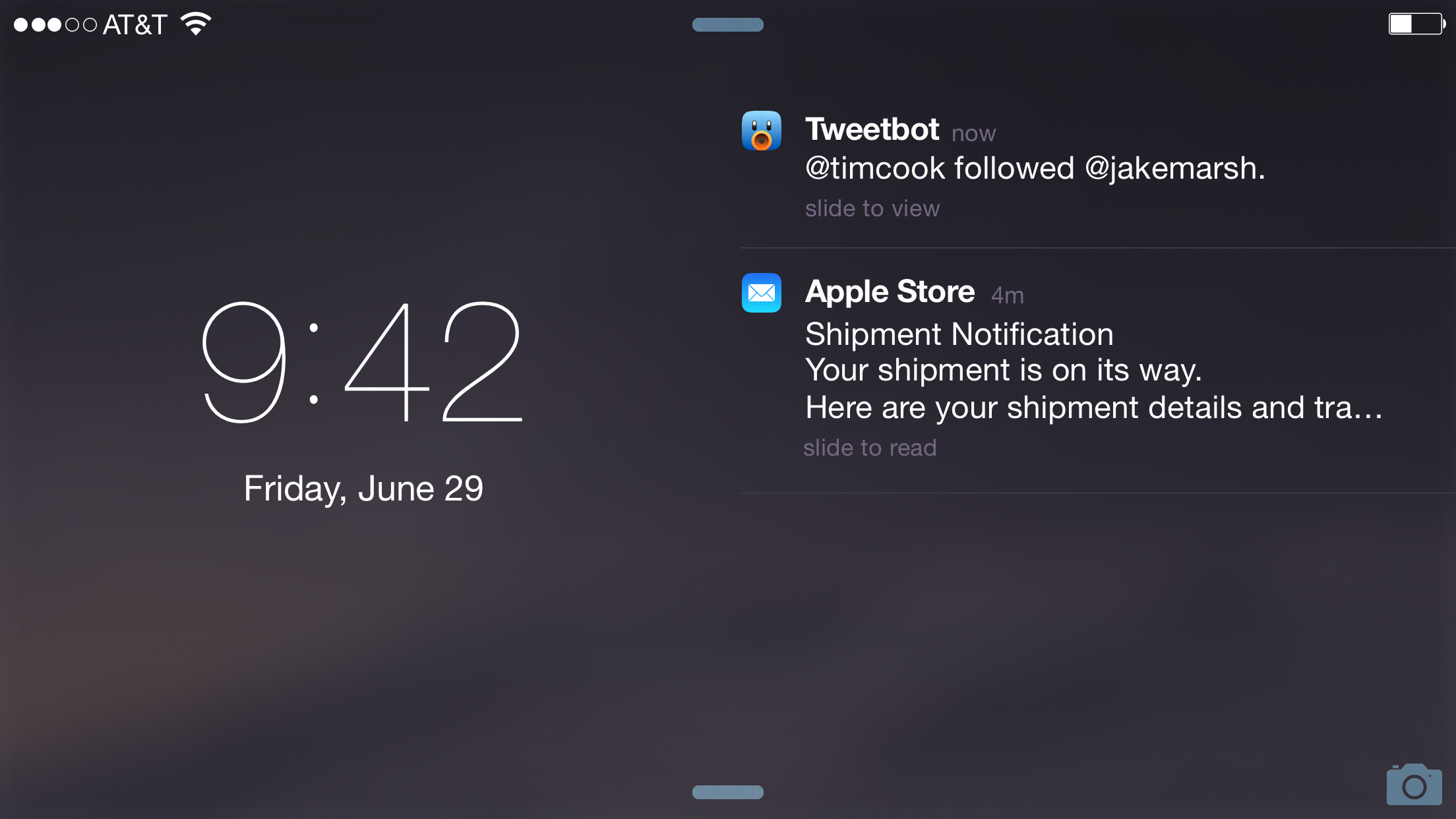
This retention could persist for up to a month in some cases, creating a hidden cache of information that advanced forensic analysis might recover. Reports indicated that law enforcement agencies had successfully extracted message content from such cached notifications even after users deleted the messaging app itself or enabled disappearing messages. The bug did not stem from any weakness in end-to-end encryption itself but rather from how iOS managed temporary notification logs.
Privacy advocates quickly highlighted the broader risks. Even though the core messaging apps remained secure, the lingering notification previews effectively bypassed user expectations of deletion. Apple acted promptly once the issue gained attention, issuing the out-of-band update alongside a corresponding patch for the older iOS 18.7.8 branch.
Why This Emergency Update Matters More Than Typical Bug Fixes
Many iOS updates focus on performance tweaks or minor interface refinements. In contrast, iOS 26.4.2 stands out because it directly tackles a privacy exposure with real-world consequences. Users who rely on apps with disappearing messages or who frequently clear notifications now receive stronger guarantees that dismissed alerts truly disappear from the device.
The update applies to a wide range of hardware, including iPhone 11 and all later models, as well as recent iPads. This broad compatibility ensures that even older supported devices benefit from the improved data redaction processes introduced in the fix.
Beyond the primary security patch, the release includes general stability improvements and additional undisclosed bug fixes. While Apple traditionally keeps the full list of changes concise in minor updates, the emphasis remains firmly on closing this notification loophole.

How the Notification Services Flaw Worked in Practice
To appreciate the fix, it helps to understand the underlying mechanism. When an app pushes a notification to your iPhone, iOS displays a preview on the lock screen or Notification Center. Even after you swipe away the alert or the app marks it for deletion, certain metadata and content snippets could remain in a system-level cache.
In the vulnerable scenario, forensic tools could query this cache and reconstruct message previews that users believed had been permanently removed. This was particularly concerning for privacy-focused applications that promise ephemeral communication. The retained notifications acted as an unintended backup log, potentially undermining user trust in deletion features.
Apple’s engineering team responded by enhancing the redaction and cleanup routines within Notification Services. The updated code ensures more thorough and immediate removal of data flagged for deletion, reducing the window during which such information stays accessible on the device.
Step-by-Step Guide: How to Install iOS 26.4.2 on Your iPhone
Installing the update is straightforward and highly recommended for all eligible devices. Follow these steps to ensure your iPhone receives the latest protection:
- Open the Settings app on your iPhone.
- Tap General, then select Software Update.
- If iOS 26.4.2 appears, tap Download and Install (or Update Now if already downloaded).
- Enter your passcode when prompted and agree to the terms.
- Keep your iPhone connected to power and Wi-Fi during the process to avoid interruptions.
:max_bytes(150000):strip_icc()/001_iOS-wireless-updates-1999188-3c7a318619044883ac1c46f24230e37d.jpg "Why iOS 26.4.2 Delivers a Powerful Privacy Victory for Every iPhone User 47")
The installation typically takes 10–20 minutes, after which your device will restart. Once complete, the notification retention issue will be resolved automatically—no additional configuration is required.
For users who prefer convenience, enable Automatic Updates in the same Software Update menu. This setting allows iOS to download and install security patches in the background when your device is locked, charging, and connected to Wi-Fi.
Who Should Update Immediately and Why
Virtually every iPhone user running iOS 26 or the supported iOS 18 branch should install this update without delay. The patch is especially critical for individuals who:
- Use messaging apps with disappearing or self-destructing messages
- Handle sensitive personal or professional communications on their device
- Value maximum privacy and want to minimize any forensic recovery risks
- Own older supported models that still receive security updates
Even if you rarely clear notifications manually, the improved data handling benefits overall system privacy. Apple has confirmed that after the update, notifications from deleted apps will also be cleared more reliably going forward.
Additional Benefits and Broader Implications for iPhone Security
While the headline fix addresses the deleted notification bug, iOS 26.4.2 contributes to Apple’s layered defense strategy. The company continues to invest heavily in on-device security features that reduce reliance on cloud storage for sensitive data.
This update also serves as a timely reminder of the evolving nature of digital forensics. As tools become more sophisticated, operating system vendors like Apple must stay one step ahead by refining how transient data is managed. The swift deployment of iOS 26.4.2 demonstrates responsiveness that many users appreciate.
Furthermore, the patch was backported to the iOS 18.7.8 release, ensuring that users who have not yet transitioned to the newest major version still receive critical protection. This inclusive approach helps maintain a high security baseline across the entire active iPhone installed base.
Expert and Industry Perspectives on the Update
Security researchers have welcomed Apple’s proactive response. One prominent cybersecurity analyst noted, “Closing gaps in notification data retention is essential for preserving the integrity of user-controlled deletion features. Apple’s rapid patch sets a strong precedent for the industry.”
A privacy advocate from a leading digital rights organization added, “Users expect that when they delete a message or clear a notification, it should truly vanish from their device. This fix reinforces that fundamental expectation and helps restore confidence in mobile privacy tools.”
Apple’s own security team emphasized the importance of timely updates in their advisory: “We recommend all users install this update to benefit from the latest protections.”
Potential Side Effects and What Users Should Monitor
As with any software update, some users may notice minor adjustments in notification behavior immediately after installing iOS 26.4.2. For example, previously retained cached data may be purged during the update process, which could feel like a sudden cleanup of old alerts.
Performance impact is expected to be negligible given the focused nature of the release. If you encounter any unusual battery drain or notification delays in the first 24–48 hours, a simple restart often resolves transient issues while the system settles into the new routines.
Should you experience persistent problems, Apple Support remains available through the Get Support section of the Apple website or via the Support app on your iPhone.
Long-Term Privacy Strategies Beyond This Update
Installing iOS 26.4.2 is an excellent first step, but comprehensive privacy protection involves additional habits:
- Review notification settings regularly and disable previews for sensitive apps when appropriate.
- Enable Automatic Updates to ensure future security patches arrive without manual intervention.
- Consider using apps with strong end-to-end encryption and disappearing message options.
- Stay informed about Apple’s security advisories, which detail the content of each update.
Combining the technical fix from Apple with mindful user practices creates a robust defense against data exposure risks.
The Bigger Picture: Apple’s Ongoing Commitment to User Privacy
This emergency update fits into a larger pattern of Apple prioritizing privacy as a core feature rather than an afterthought. From on-device machine learning to enhanced encryption and now improved notification cleanup, the company continues to raise the bar for consumer technology.
In an era where digital footprints can persist longer than users realize, patches like iOS 26.4.2 help align system behavior more closely with user intent. The fact that Apple released the fix quickly and transparently speaks to the seriousness with which the company treats such vulnerabilities.
Final Thoughts: Act Now to Secure Your iPhone
The iOS 26.4.2 release delivers a powerful and targeted improvement that directly enhances the privacy of every compatible iPhone. By fixing the deleted notification bug, Apple has eliminated a subtle but significant risk that could have exposed sensitive message content long after users believed it was gone.
Don’t delay—check your Software Update settings today and install the latest version. Taking this simple action ensures your device benefits from the most current protections and contributes to a safer mobile ecosystem for all users.
With privacy threats evolving constantly, staying current with Apple’s security updates remains one of the most effective ways to safeguard your personal information. iOS 26.4.2 proves that even small updates can carry outsized importance when they address real vulnerabilities head-on.
Quotes of the day:
“Notifications marked for deletion could be unexpectedly retained on the device.” — Apple Security Advisory for CVE-2026-28950
“Closing gaps in notification data retention is essential for preserving the integrity of user-controlled deletion features.” — Cybersecurity Analyst
“Users expect that when they delete a message or clear a notification, it should truly vanish from their device.” — Privacy Advocate, Digital Rights Organization
Discover more from Tech-Brunch
Subscribe to get the latest posts sent to your email.


